
Menu builder
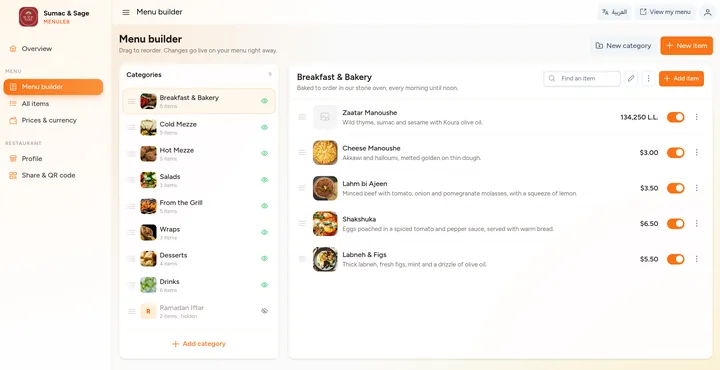
Categories on one side, dishes on the other. Drag to reorder, edit a price in place, hide a dish that sold out, or hide the price of a market price item. Every change goes live right away.
MenuLeb puts your restaurant's menu online at menuleb.com/your-name. Guests scan your QR code, browse your dishes with photos, see prices in dollars or lira, and send their order to your WhatsApp.
Prefer Arabic? Open the Arabic demo menu
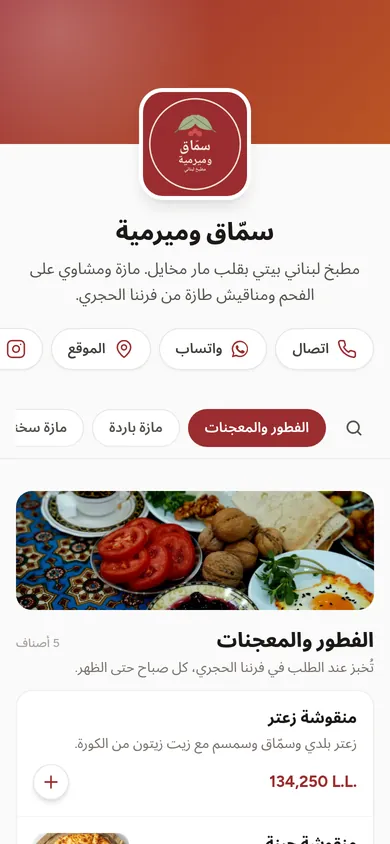
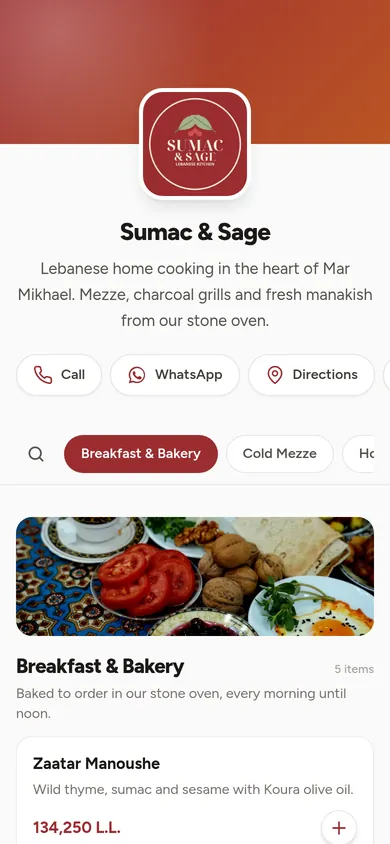
No app to download and no PDF to pinch and zoom. Your menu opens straight in the browser, carries your brand, and is easy to use with one thumb.
Show your dishes the way they look on the plate, grouped the way your kitchen thinks.
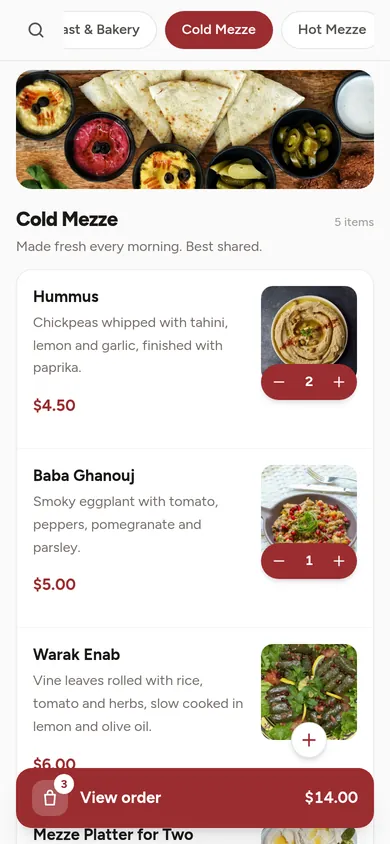
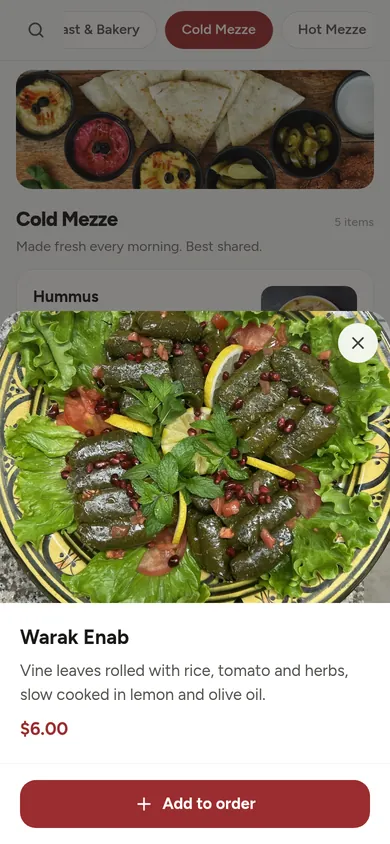
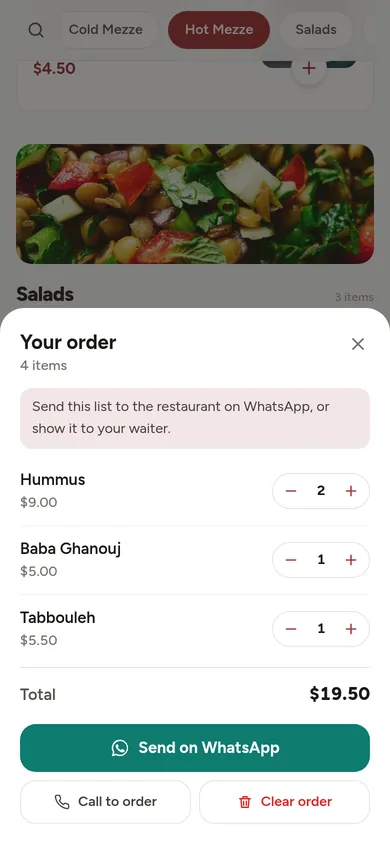
Guests add dishes as they browse, adjust quantities, and send you the list in one tap. At the table, they can simply show it to the waiter.
The buttons at the top of your menu turn a curious guest into a booking, a delivery order or a visit.
Type each price in the currency you think in, then choose what guests see. When the rate moves, change one number and every converted price on your menu follows.
Your MenuLeb portal is where you build the menu and keep it current. Switch it to Arabic any time, and use it from your laptop or your phone.
Categories on one side, dishes on the other. Drag to reorder, edit a price in place, hide a dish that sold out, or hide the price of a market price item. Every change goes live right away.
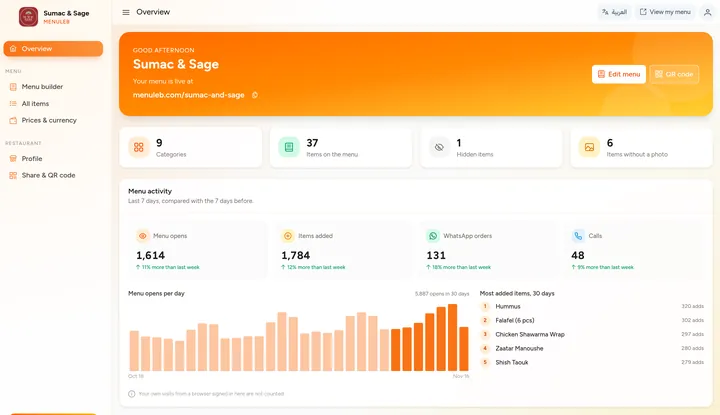
See how often your menu is opened, what guests add, and how many tap to order on WhatsApp or call. A 30 day chart and your five most added dishes show what is working.
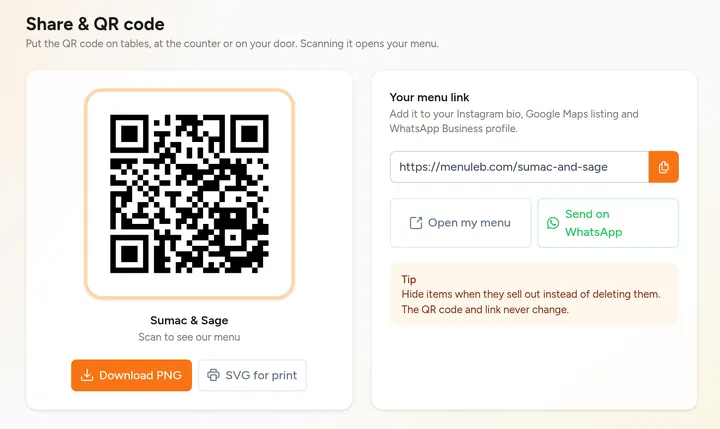
Download your QR code as a PNG or a print ready SVG. Your link and QR code never change, so you print them once.
Switch the whole portal to Arabic with one tap, right to left. On your phone, the same pages fit the small screen, so a price change takes seconds from behind the counter.
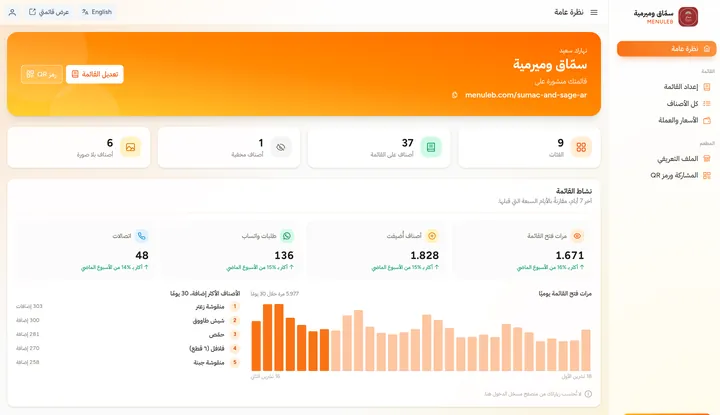
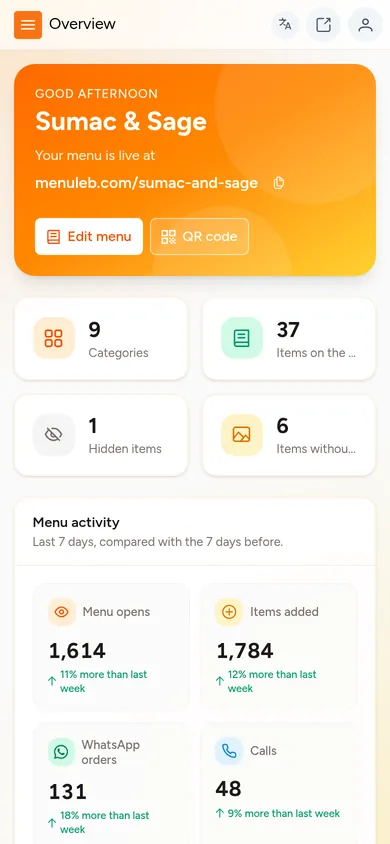
Also in your portal: a profile for your logo, brand color, menu language, phone, WhatsApp, social pages, address and map pin, and a table of all your dishes with search, filters and bulk edits.
Send us a message or call. We set up your account and your link, menuleb.com/your-name, and start your free trial with a quick tour of the portal.
Add categories, dishes, photos and prices in your portal, or let our team fill it in for you. Pick English or Arabic and set your brand color.
Download your QR code for tables, the door and the counter, and share your link on Instagram and WhatsApp.
Sumac & Sage is a demo restaurant running on MenuLeb. Open it on your phone and use it the way a guest would.
Sumac & Sage is a sample restaurant. Its dishes and prices are for illustration.
Pay for the period that suits you. Every plan gets the full menu, your portal and our support, and you start with a free trial.
$12 per month
Get started with no long commitment.
Ask for this plan$30 $10 a month
Save $6 compared with paying monthly.
Ask for this plan$55 $9.17 a month
Save $17 compared with paying monthly.
Ask for this plan$100 $8.33 a month
Save $44 a year. The lowest monthly cost.
Ask for this planSomething else on your mind? Send us a message and we will get back to you.
No. Your menu opens in the phone's browser as soon as they scan the QR code or tap the link. Regulars can add it to their home screen, and it opens like an app with your logo as the icon.
No. Type each price once, in dollars or in lira, and choose which currency guests see. When the rate changes, update one number in your portal and every converted price follows right away.
Yes. Pick English or Arabic for your menu in your profile. In Arabic, the whole menu reads right to left, and buttons and labels are in Arabic. Your dish names and descriptions show exactly as you type them, so you can write them in Arabic, English or both.
Guests add dishes to an order list as they browse, then tap Send on WhatsApp. WhatsApp opens with a message addressed to your number listing each item, the quantity and the total. The guest taps send, and you take it from there in the chat.
MenuLeb does not take payments or handle delivery. You agree on those with the guest, the way you already do.
Hide the item with one tap and bring it back when it is in stock. Prices, photos and descriptions can be edited at any time, and changes show on your menu right away. For market price items, you can hide the price.
Yes. Your overview shows how many times your menu was opened, how many items guests added, and how many tapped to order on WhatsApp or to call you, plus your five most added dishes over the last 30 days. Your own visits are not counted, and nothing identifies your guests.
Send us a message or call us. We create your account and your menu link, start your free trial, and walk you through the portal so you know where everything is.
Not at all. For a small extra fee, our team fills in your whole menu for you, with your dishes, descriptions and prices. You can still edit anything yourself afterwards.
Our team is here for you 24/7. Call or WhatsApp us on +961 71 321 357, or email [email protected]. If you forget your portal password, contact us and we will reset it.
$12 for one month, $30 for three months, $55 for six months, or $100 for a full year. Every plan includes the same features, and you start with a free trial.
We let you know before it ends, so you can renew or switch to the plan that suits your business. Your link and QR code stay the same.
Tell us about your restaurant and we will set up your free trial and walk you through it.